
OptimizeApp1.4.82 - Google Play
You'll be able to see results in few seconds.
Publisher Description


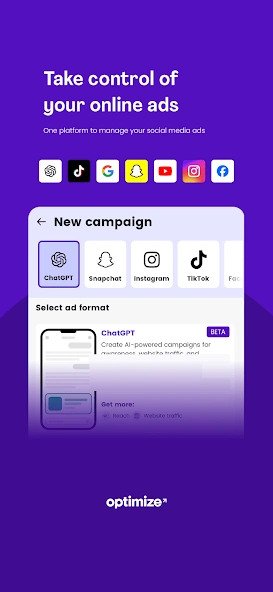
OptimizeApp - Seriously simple ads.
If you’re a business trying to grow using social media advertising, you’ll know it’s no easy task. OptimizeApp integrates directly with Snap, TikTok, Instagram, Facebook and Google, meaning you can design, launch and track multiple social campaigns from a single, easy-to-use app.
Since launch, more than 35,000 businesses have left complex Ad Managers and chosen OptimizeApp to help them grow simply and effectively, by providing easy, intuitive access to every major platform.
Just a few clicks on your phone and you’ll have beautiful, highly targeted campaigns running on all your favorite social media platforms. You’ll be able to track and optimize your ads based on real-time performance. And with 100% transparent reporting, you’ll always be in complete control.
Download. Launch. Grow.
About OptimizeApp
The company that develops OptimizeApp is OPTIMIZE. The latest version released by its developer is 1.4.82.
To install OptimizeApp on your Android device, just click the green Continue To App button above to start the installation process. The app is listed on our website since 2026-10-26 and was downloaded 0 times. We have already checked if the download link is safe, however for your own protection we recommend that you scan the downloaded app with your antivirus. Your antivirus may detect the OptimizeApp as malware if the download link to com.optimizeapp.optimizeapp is broken.
How to install OptimizeApp on your Android device:
- Click on the Continue To App button on our website. This will redirect you to Google Play.
- Once the OptimizeApp is shown in the Google Play listing of your Android device, you can start its download and installation. Tap on the Install button located below the search bar and to the right of the app icon.
- A pop-up window with the permissions required by OptimizeApp will be shown. Click on Accept to continue the process.
- OptimizeApp will be downloaded onto your device, displaying a progress. Once the download completes, the installation will start and you'll get a notification after the installation is finished.
Program Details
System requirements
Download information
Pricing
Version History
version 1.4.82
posted on 2026-10-26
version 1.4.79
posted on 2026-10-06
Various bug fixes and improvements
version 1.4.76
posted on 2026-07-23
-New "Reports" page to view metrics for your entire account
-Various fixes & improvements
version 1.4.70
posted on 2026-04-27
Launch across all placements on Instagram in a single ad
Various fixes & improvements.
version 1.3.61
posted on 2025-09-09
Various fixes & improvements
version 1.3.5
posted on 2025-07-27
-Edit the names of campaigns and ads after they have launched
-Connect your TikTok account to launch ads linked to it
-Various fixes & improvements
version 1.3.3
posted on 2025-06-19
Added VAT payment support for Saudi-based businesses
Added support for Mada debit cards
Various fixes & improvements
version 1.3.1
posted on 2025-05-01
General fixes & improvements
version 1.2.8
posted on 2025-04-27
Easily connect your Meta pixel
Connect your TikTok account to any ad you launch
You can edit the end date of a campaign after it goes live
You can increase or decrease the budget of any live campaign
General fixes & improvements
version 1.2.4
posted on 2025-03-19
Launch TikTok ads using images
Create custom audiences based on user actions (website purchases, post engagements, and more)
Create lookalike audiences (those who have similar interests/behaviors as your custom audience)
Various fixes & improvements
Disclaimer
Official Google Play Link
We do not host the OptimizeApp app on our servers. We did not scan it for viruses, adware, spyware or other type of malware. This app is hosted by Google and passed their terms and conditions to be listed there. We recommend caution when installing it.
The Google Play link for OptimizeApp is provided to you by apps112.com without any warranties, representations or guarantees of any kind, so access it at your own risk.
If you have questions regarding this particular app contact the app developer directly. For questions about the functionalities of the apps112.com website, contact us.
